
Quick overview of BuchhaltungsButler accounting software
- It has more features than Accountable to support your business’s bookkeeping as it grows. Moreover, you can extend it further by using extensions. For example, you can use TAXMARO integration for payroll management.
- It lies between Lexware* and Accountable* in terms of features. Accountable is a clear choice for freelancers who prefer English support. However, as your business grows and you convert it into a UG or GmbH, you will need to switch to Buchhaltungsbutler or another accounting software.
- Buchhaltungsbutler also supports special professions such as doctors and lawyers.
- It offers quick and easy onboarding, csv imports, charts to analyze your company’s performance, and more.
- We find the software robust and easy to use. However, the UI looks a bit old and can be modernized.
Read our complete comparison of the best accounting software in Germany here ->

GermanPedia
6.65 out of 10
Buchhaltungsbutler
03/2026
✅ Create automation rules to automate your bookkeeping
✅ Control Panel to view your company finances at a glance
✅ E-commerce integration, API access, and Stripe integrations
✅ E-invoicing, EÜR, Balance sheet, etc.
✅ GoBD and DSGVO compliant
The AI overview and answers are as good as the sources it uses.
To ensure you get AI answers from a deeply researched, maintained, and up-to-date source, add GermanPedia to your preferred sources.
How did we review BuchhaltungsButler accounting software?
- We first identified the categories that are important for expats in Germany. For each category, we developed different parameters to score Buchhaltungsbutler.
- Buchhaltungsbutler received a score for each parameter. We combined the scores of those parameters to give a score to the category.
- Each category is weighted based on its importance.
- Lastly, we summed the weighted scores across all categories to obtain a final score.
The table below shows Buchhaltungsbutler’s performance across various categories and the overall score.
| Category | Weight | Score | Weighted Score |
|---|---|---|---|
| Ease of Setup & Onboarding | 20% | 9 | 1.8 |
| UI/UX | 20% | 7 | 1.4 |
| English support | 15% | 0 | 0 |
| Core Accounting Features | 20% | 8 | 1.6 |
| Advanced Features | 10% | 8 | 0.8 |
| Pricing & Value | 15% | 7 | 1.05 |
| Overall | 100% | 6.65/10 |
How easy is it to onboard Buchhaltungsbutler?
We gave BuchhaltungsButler a score of 9 for the onboarding process. The onboarding process is straightforward. However, some onboarding questions may confuse or overwhelm a beginner. This is what led to the deduction of one point.
Account setup (10/10)
- You don’t need a credit card to create an account.
- You can access all features of Buchhaltungsbutler for free for the first 14 days. This gives you enough time to test the software and determine whether it meets all your requirements.
Onboarding (10/10)
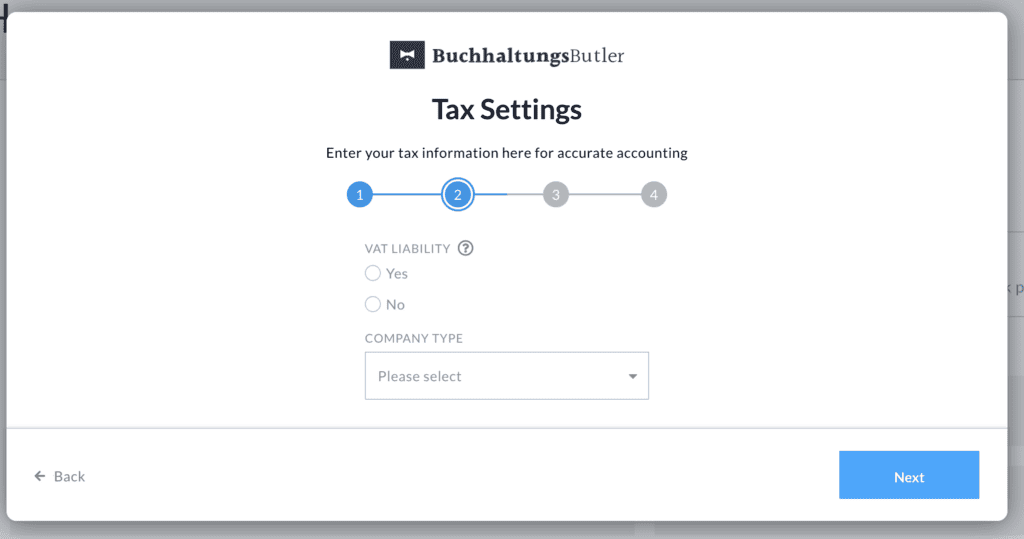
- When you first log in, you see a setup wizard that walks you through the whole setup. This makes it easier for people who are new to accounting.
- Buchhaltungsbutler offers explanation videos when you need them. However, the videos are in German. This is also the case with SevDesk and Lexware. The only accounting software with full English support is Accountable*.
Personal support (10/10)
- In addition to the videos, Buchhaltungsbutler also offers free onboarding webinars and live “Sprechstunden” (open office hours for trial users on Tuesdays and Thursdays).
- If you choose a paid plan, you can even request a personal onboarding call.
Business configuration (8/10)
- You can choose between EÜR (simplified income-surplus) or full balance sheet (Bilanz) during onboarding.
- The onboarding wizard asks accounting questions (Kontenrahmen, Gewinnermittlungsart) that may confuse a beginner who has no idea what “SKR03 vs SKR04” means. But at the same time, it simplifies things for advanced users. The good part is that you have to select from a drop-down, and Buchhaltungsbutler shows the recommended option with a help button. The help button redirects you to a guide that explains the question in detail. However, this may make your onboarding a bit slow and overwhelming if you are new to accounting.
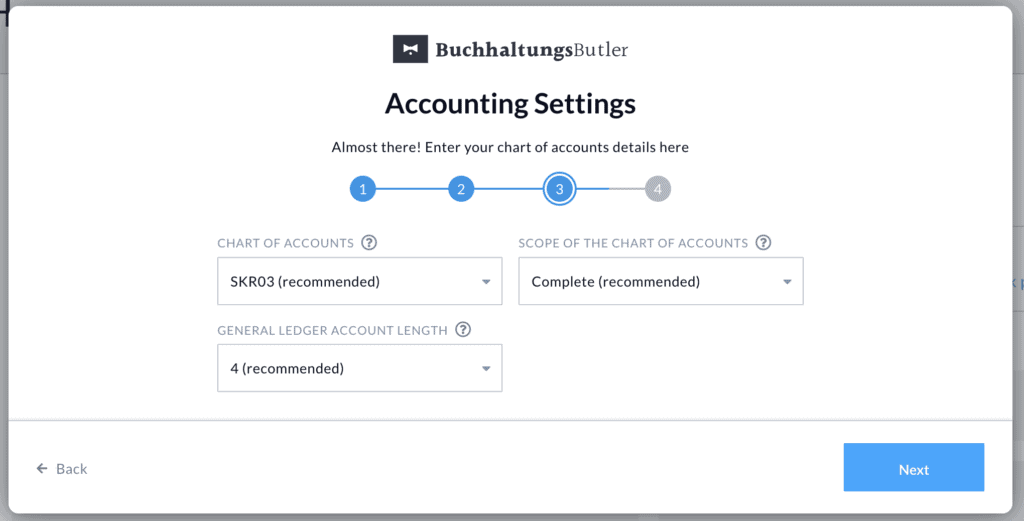
We deducted two points because some onboarding questions require accounting knowledge. This may make the onboarding confusing to beginners.
Moving data from your previous accounting software to Buchhaltungsbutler (9/10)
Buchhaltungsbutler offers CSV import to migrate your current accounting data. This worked seamlessly for us when we moved the accounting data from Accountable to Buchhaltungsbutler.
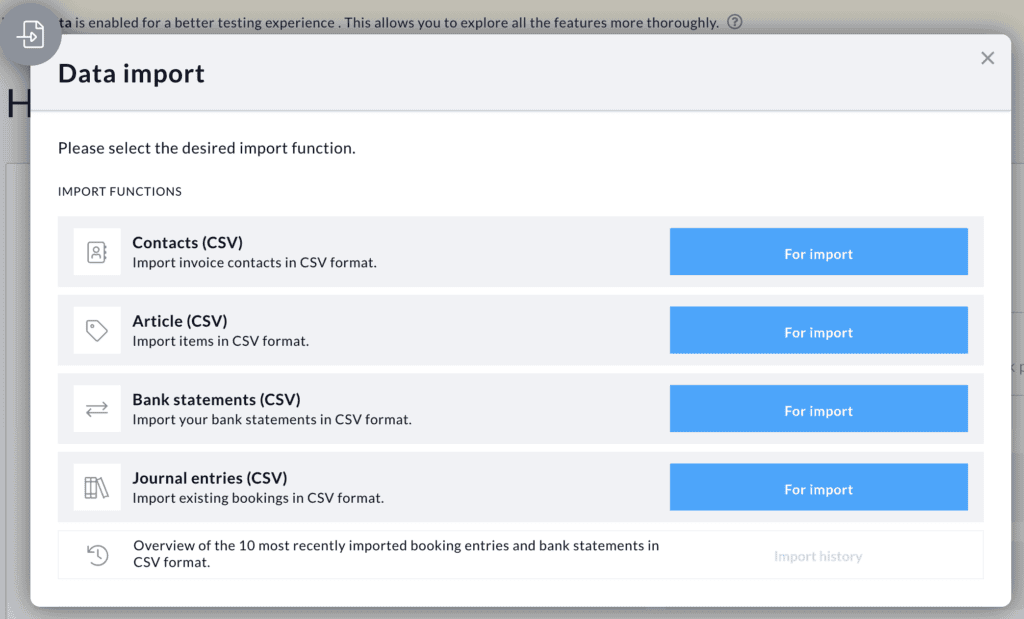
The field mapping is straightforward. However, for some fields, you may need to check your data to determine which field to map.
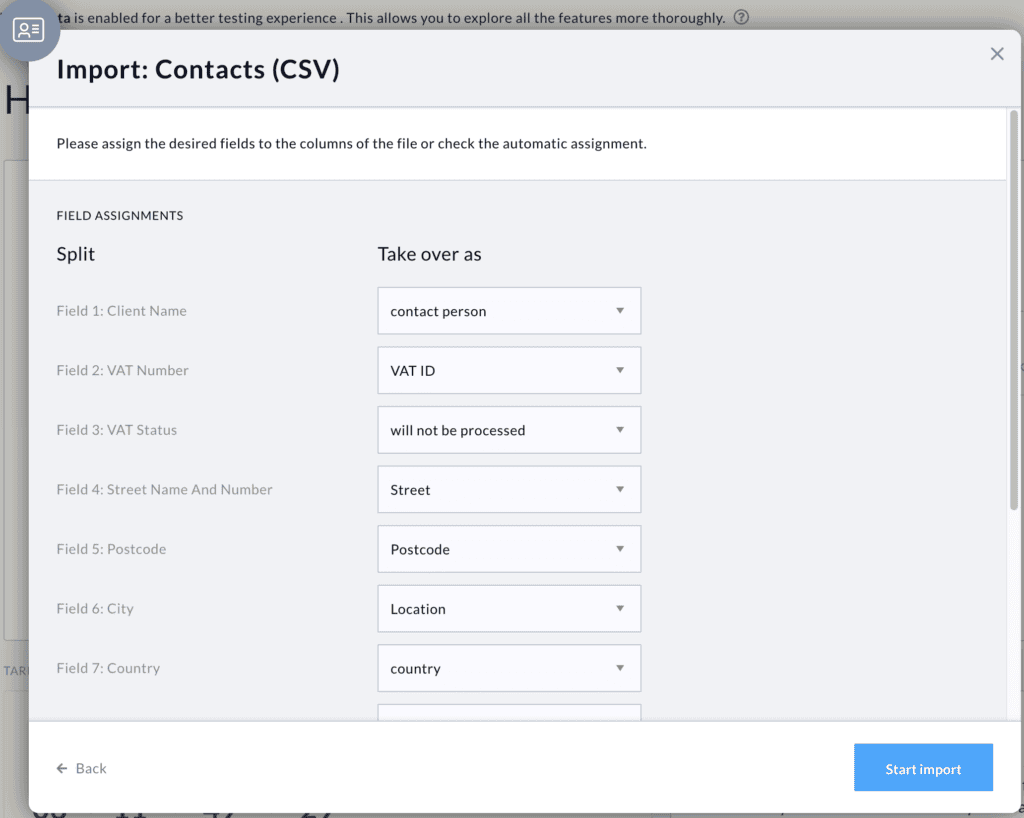
We deducted one point as the CSV import relies on what data your existing accounting software can export. We would have scored it 10 if it offered an automatic import from your existing accounting software.
How good is the user interface of Buchhaltungsbutler?
We gave BuchhaltungsButler a score of 7 for the user interface. The main reason is that its user interface looks like the software was built in the 90s. Although their website looks modern, the accounting software’s UI needs to be reworked.
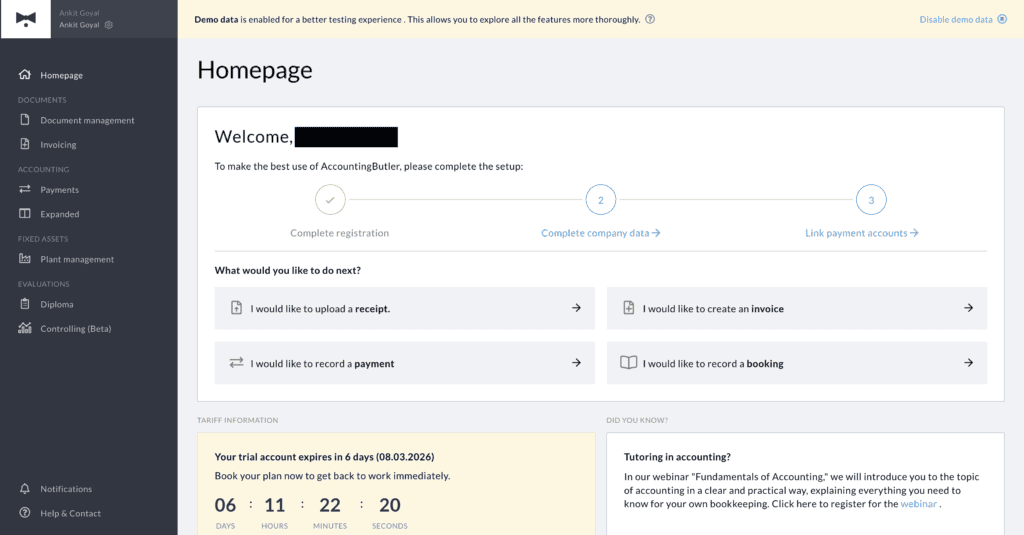
Besides that, the interface is clean and obvious. You can easily navigate the software.
Here is what we like about Buchhaltungsbutler’s interface
- The dashboard gives a real-time view of cash flow, receivables, payables, and key KPIs.
- Smart to-do lists guide you to what still needs to be done in the current period
- Dedicated tab for fixed assets. It automatically assigns your fixed assets to this tab. This gives you an overview of all the depreciable assets.
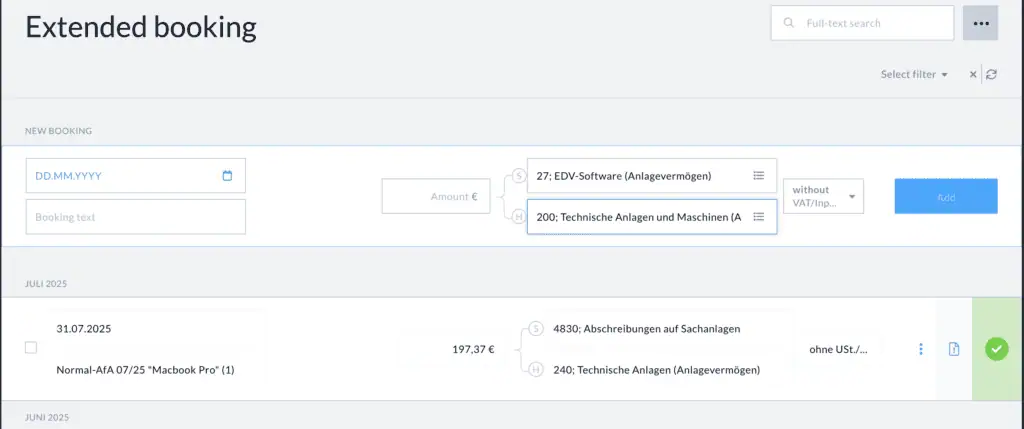
- We like the expanded tab of BuchhaltungsButler. This is especially useful when working with a balance sheet. However, this feature is for advanced users. You need bookkeeping knowledge to use it.
Once you get used to the interface, everything feels intuitive and well-designed. However, you may struggle a bit at first to figure out how the software works.
Buchhaltungsbutler interface uses bookkeeping terminology. This makes it easier to use for individuals with bookkeeping knowledge. However, beginners have a learning curve.
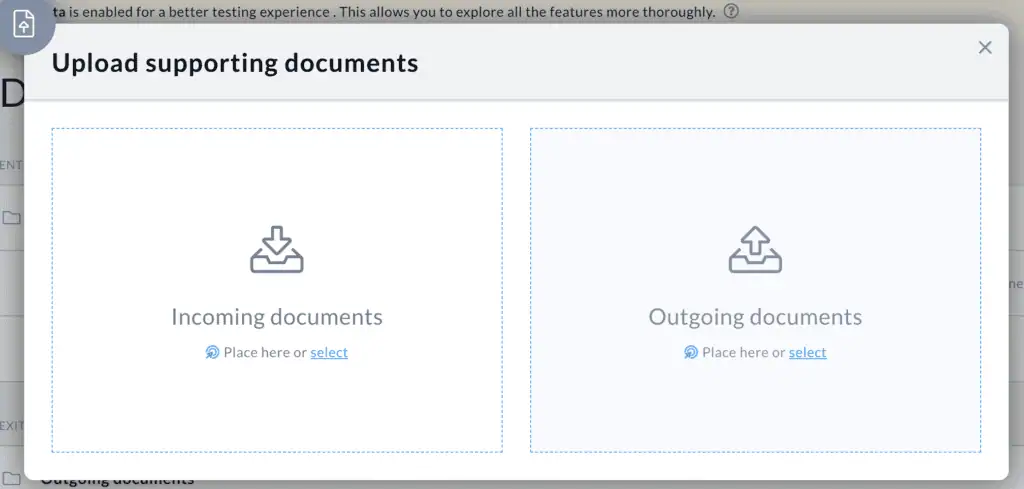
For example, Buchhaltungsbutler offers a “Documents Management” tab, where you manage all your incoming and outgoing documents. It’s intuitive for those who know the basics of bookkeeping.
However, if you don’t know what incoming and outgoing documents mean, you’ll find it confusing. What would help is a brief description with examples of what types of documents go in which category.
Learn the bookkeeping basics here ->
We will discuss the core accounting features and their user experience later.
Start a Business in Germany with Confidence – eBook

- Learn the complete lifecycle of a self-employed person in Germany.
- From business registration and bookkeeping to taxes and fundraising, plus free tools to scale your business.
- Tips and strategies for new founders
- Save money, time, and stress by knowing the steps to set up a business in Germany.
Does Buchhaltungsbutler offer English support?
No, Buchhaltungsbutler offers no English support. All their documentation, customer support, and user interface are in German. This is why it receives 0 points in this category.
The workaround is to use the Google Translate plugin in our browser when using the software. When reviewing Buchhaltungsbutler accounting software, we used this plugin, and it worked in most cases.
Is Buchhaltungsbutler GoBD-compliant?
Yes, Buchhaltungsbutler is GoBD-compliant and receives 10/10 points in this category.
What is GoBD and why is it important for business owners in Germany ->
Additionally,
- It supports ELSTER for direct VAT filing.
- Handles both EÜR and full Bilanz (balance sheet) accounting.
- Supports SKR03/04/42/45/49.
- Offers DATEV export.
- Supports e-invoicing (XRechnung and ZUGFeRD)
What are e-invoices and how to create legally valid invoices in Germany ->
- German data centers (Frankfurt)
- DSGVO compliance.
Core accounting features of Buchhaltungsbutler
We give Buchhaltungsbutler accounting software an 8 out of 10 for core accounting features. The only reason it lost points is that some features are missing from its invoicing.
Other than that, it offers everything and more you need to do your bookkeeping.
Invoicing (7/10)
What do we like?
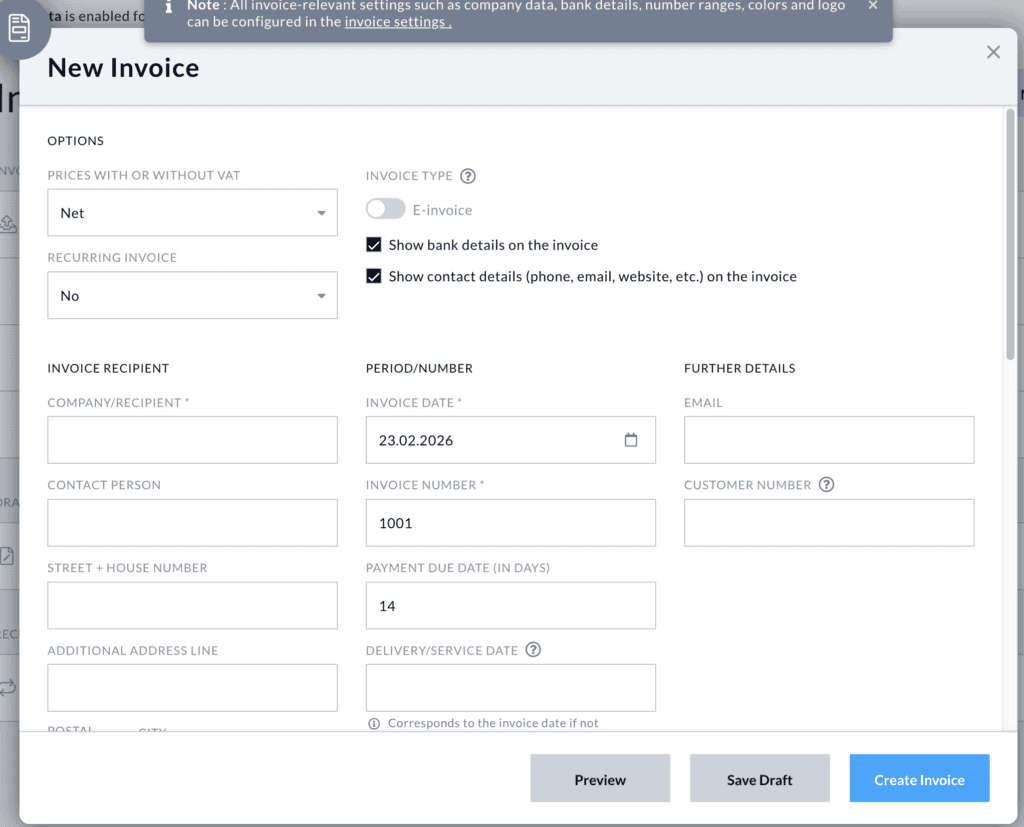
- Basic invoicing works fine: create, set as recurring, convert quotes to invoices.
- You can duplicate an invoice.
- You can send a cancellation invoice for a previously sent invoice with a single click. This saves a lot of time and avoids mistakes beginners make when sending cancellation invoices.
What is a cancellation invoice, and how to create one ->
- You can create a Gutschrift. This is a particularly important feature for people who want to pay their affiliate partners.
- Like other accounting software, you can create and manage a list of products that you can reuse. It automatically saves products and contacts if they are not in the database.
- You can send an invoice directly from the accounting software via email.
What does it lack?
- You cannot send the invoice via physical post directly from the accounting software. Wiso accounting software offers this service.
- Modern accounting software offers a feature to add a QR code to the invoice to make it easier for the client to pay. Buchhaltungsbutler doesn’t offer this.
- You cannot upload your company’s logo or modify the invoice template.
- If your client doesn’t pay the invoice, you have to follow a dunning process (Mahnwesen) to recover your money. Buchhaltungsbutler doesn’t offer it.
What can you do if your client doesn’t pay your invoice ->
Expense tracking (10/10)
- You can scan the invoices.
- Bulk upload all your receipts/invoices
- Automatic scanning of the invoice and extracting data.
- Helpful suggestions when finding the right category for your expense.
- Automatically detects and assigns an expense as a fixed asset that must be depreciated.
Other accounting features (10/10)
- You can connect multiple bank accounts. It supports almost all traditional and mobile banks operating in Germany.
Best business bank accounts in Germany ->
- Income & expense categorization improves as you start using the software. For businesses with high transaction volumes, this is where Buchhaltungsbutler outpaces competitors.
- Automatically assigns the correct VAT rate based on the income or expense category. If there is a mismatch, it shows an error and a helpful message. This ensures you are always GoBD compliant.
- You can assign your team member to review an expense. This is a helpful feature if you require your accounting department to review the invoice before paying.
- You can create EÜR and BWA reports with one click.
- Full Bilanz (double-entry) mode is also supported. We really like the “Extended tab” of BuchhaltungsButler. This is useful when working with a balance sheet. It allows you to pick the “Should” and “Have” accounts in the most intuitive way. We didn’t see this feature in any of the accounting software in Germany. However, this feature is for advanced users. You need bookkeeping knowledge to use it.
What advanced bookkeeping features does Buchahltungsbutler offer?
We gave Buchhaltungsbutler 8 out of 10 points for Advanced Bookkeeping features. We deducted 2 points because other software, such as Lexware and SevDesk, has a more extensive marketplace and integration options. However, based on your requirements, you may not need them.
Ultimately, it all boils down to your needs. For a single-person UG or GmbH, Buchhaltungsbutler offers everything you may need now and as your business grows.
Here are some key features worth highlighting.
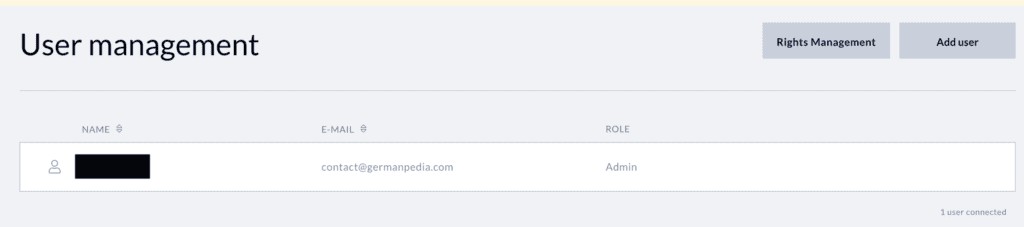
- Multi-user access & roles. You can add users to your accounting software and assign them differnt roles. This makes it very powerful.
- Project/cost center management. Cost centers (Kostenstellen), capital accounts for bilanciers, and project management are all available.
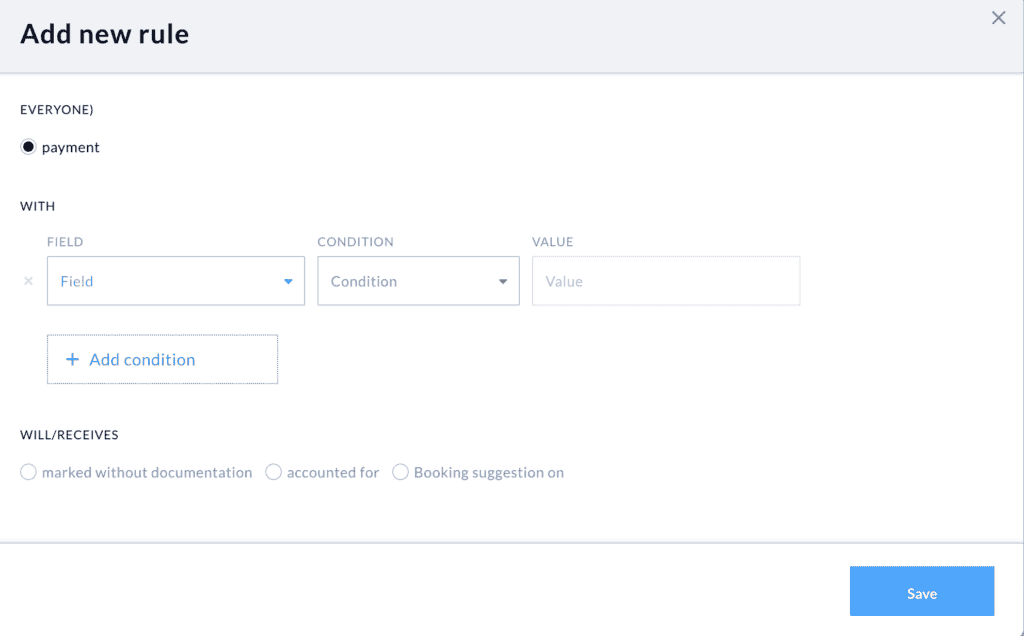
- Automations: You can create small automation rules for payments from your bank accounts. You can create rules based on the client, purpose, and payment amount. For example, if you pay for a ChatGPT subscription, you can create a rule to automatically assign it to a particular expense category. No other accounting software offers this feature.
- E-commerce integrations (Amazon, Shopify, eBay).
- Stripe connection: If you run a SaaS company and use Stripe as a payment provider, this feature can save you a lot of time every month. You can connect Buchhaltungsbutler with Stripe. It fetches and records all your Stripe transactions. It even automatically splits Stripe fees to make your accounting simple. However, you have to pay an additional €19.9 per month on top of your subscription to access this feature.
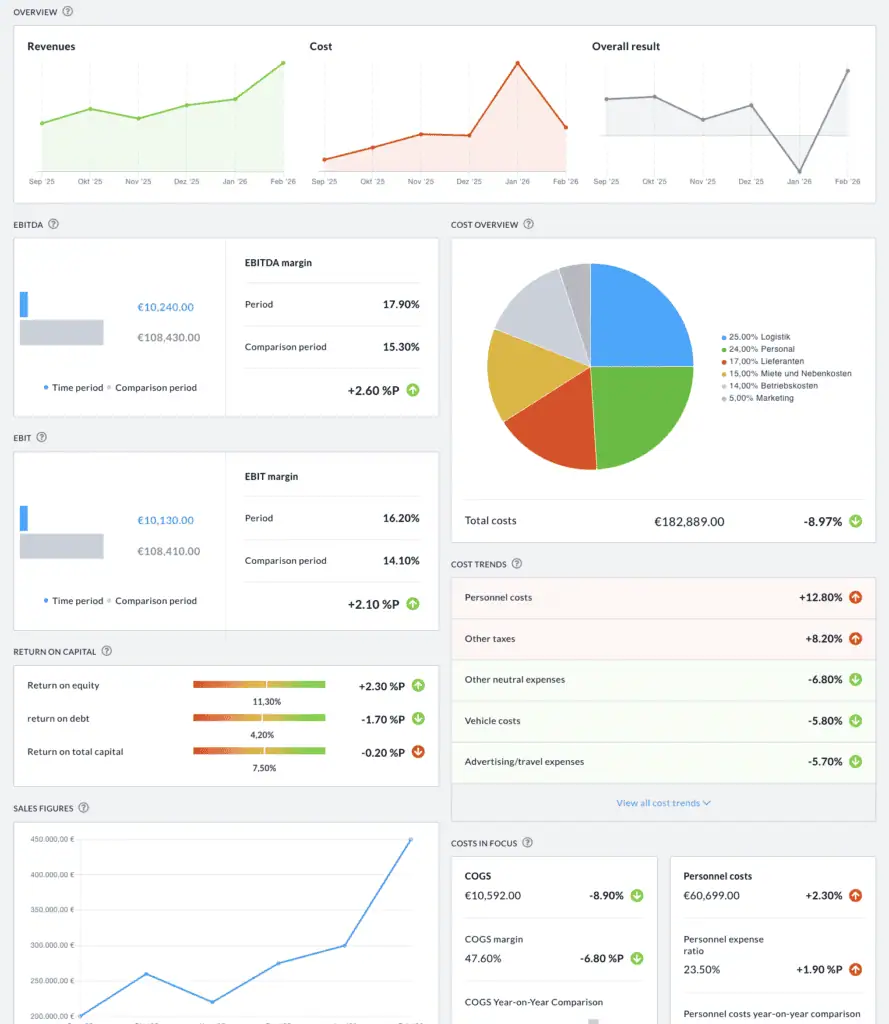
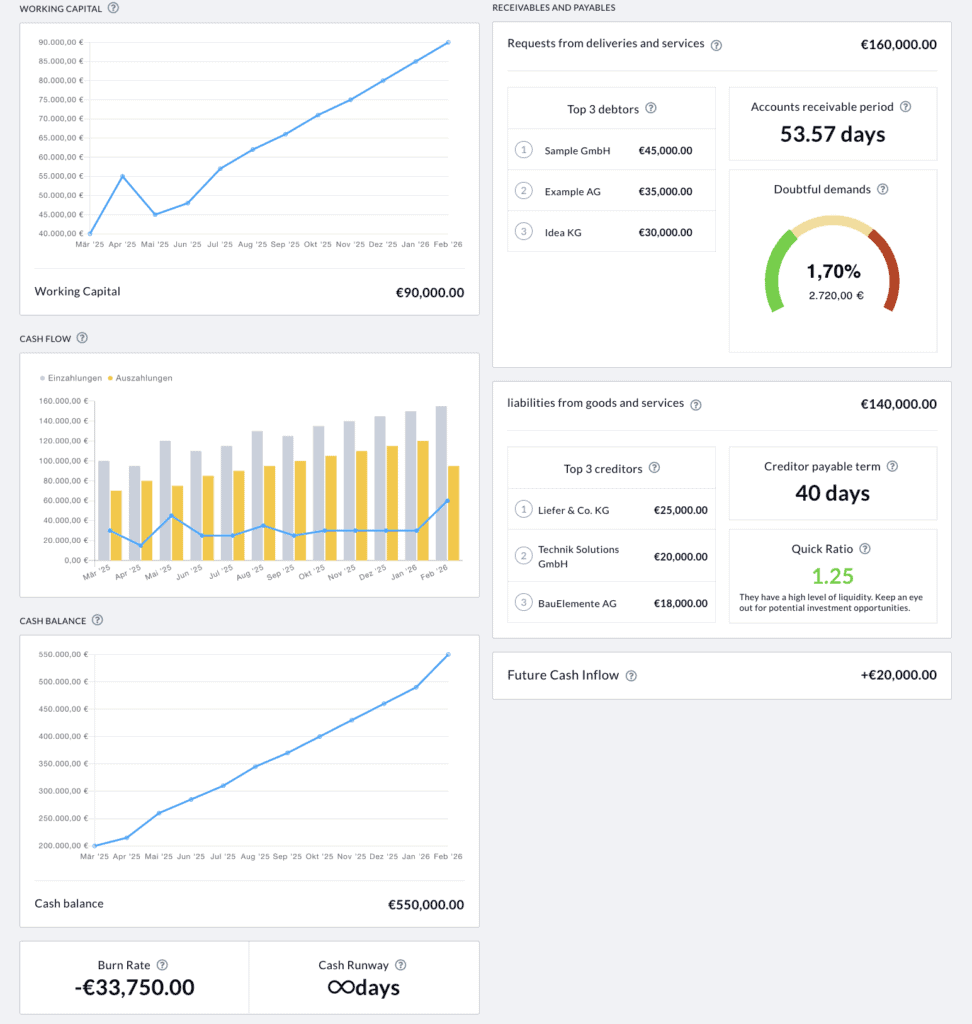
- Control center: We like this feature a lot. Other accounting software doesn’t offer this feature in such detail. You can view your company’s performance in a single dashboard. It has two tabs:
- Profitability
- Liquidity
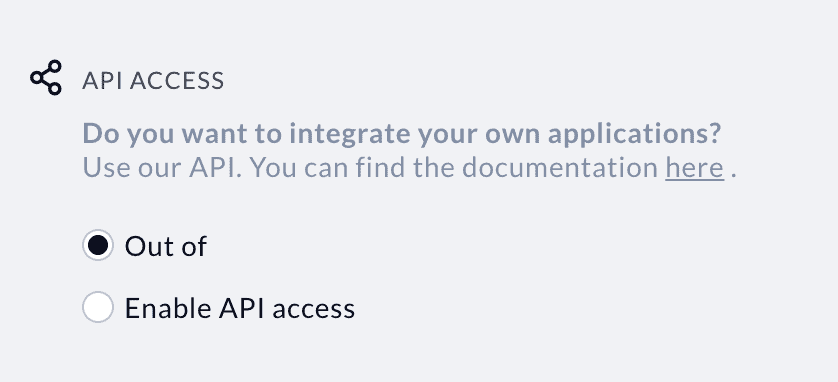
- API access: This enables you to automate your bookkeeping using make.com or Zapier. However, you need some technical know-how to use this feature.
How much does the accounting software from Buchhaltungsbutler cost?
We gave Buchhaltungsbutler 7 out of 10 for its pricing. We deducted 3 points because it’s more expensive than Lexware and SevDesk.
Buchhaltungsbutler offers three plans. This is how much you pay for a yearly subscription.
- Light (Vorbucher): €29.9/month
- Smart (Selbstbucher): €34.9/month
- Premium €59.9/month
Additionally, you can expand your plan by taking various add-on services such as:
- Stripe integration: 19.9€ / month
- eBay integration: 19.9€ / month
- Control panel: 9.9€/ month (currently free in all plans)
- API access: 5.9€/month (included in the premium plan)
- Additional users: 4.9€/month/user (Premium plan already includes 5 users)
When evaluating the cost of Buchhaltungsbutler, check what other features you need. Add their costs to your subscription cost to find out the final price.
GermanPedia
6.65 out of 10
Buchhaltungsbutler
03/2026
✅ Create automation rules to automate your bookkeeping
✅ Control Panel to view your company finances at a glance
✅ E-commerce integration, API access, and Stripe integrations
✅ E-invoicing, EÜR, Balance sheet, etc.
✅ GoBD and DSGVO compliant
How do customers rate Buchaltungsbutler accounting software?
Here is how customers rated Buchhaltungsbutler accounting software on different platforms.
- Proven Expert : 4.37 (773 reviews)
- OMR: 4.7/5 (142 reviews)
- Trustpilot: 4/5 (113 reviews)
Positive reviews summarized
- Many people liked the Amazon FBA and eBay integration of Buchhaltungsbutler.
- Several people found the customer support helpful.
- People praised the onboarding webinars and calls.
Negative reviews summarized
- Users complained they were unable to reach customer support by phone. They have to wait for weeks for callbacks and replies to their emails. For customer support, we read mixed reviews.
- Users reported being charged the wrong tariff. Some reported that their cancellation requests were ignored and they didn’t receive refunds.
More topics
- Different legal forms you can choose when starting a business in Germany
- How do you choose the right legal form for your new business?
- How to register your business in Germany?
- Chamber of Industry and Commerce (IHK) Explained
- The Chamber of Crafts (Handwerkskammer) [HWK]
- How to fill Fragebogen zur steuerlichen Erfassung?
- How to save taxes in Germany?
- Change tax class
- Myths about filing a tax return in Germany
- Capital gains tax in Germany
- Types of taxes you pay in Germany
- How much money does the German government collect in the form of taxes?
- Is filing a voluntary tax return worth it?